MP3 vs FLAC: Full Quality Comparison (2026)
MP3 vs FLAC — real file sizes, honest listening tests, DAW support, and practical advice. A complete quality comparison that skips the fluff.
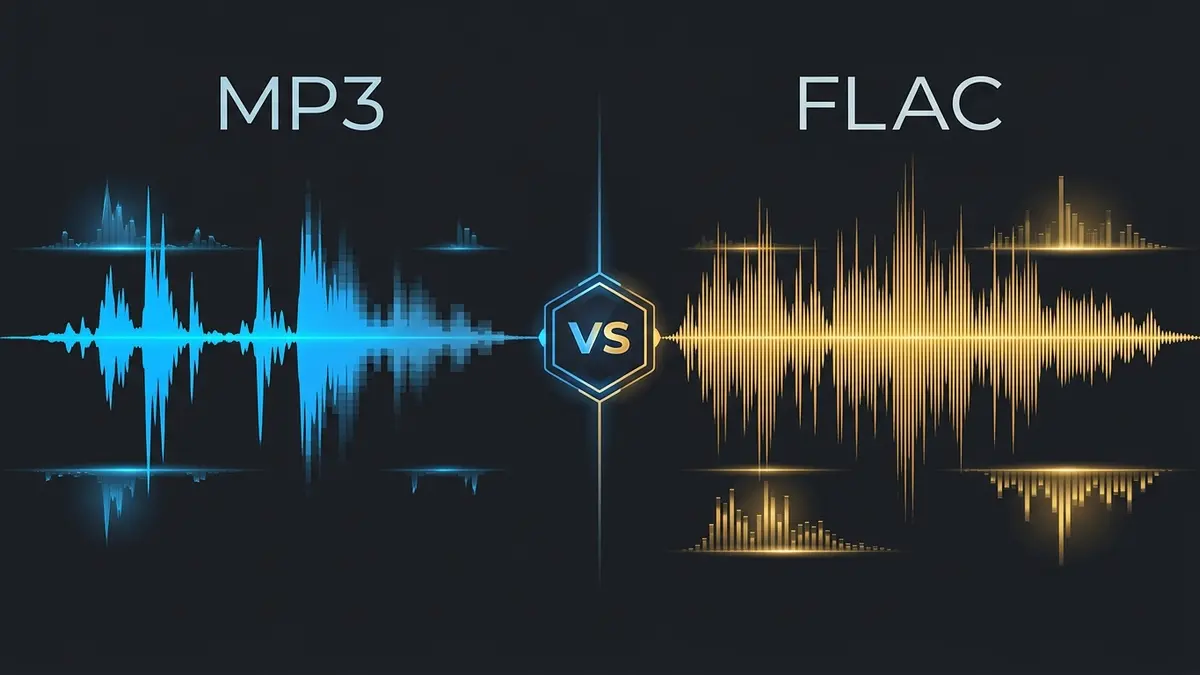
<!-- Meta Title: MP3 vs FLAC: Full Quality Comparison (2026) --> <!-- Meta Description: MP3 vs FLAC — which actually sounds better? Real file sizes, blind test results, and honest advice for listeners, producers, and DJs. --> <!-- Suggested URL slug: /blogs/mp3-vs-flac -->
# MP3 vs FLAC: Full Quality Comparison
Every music forum argument eventually circles back to this one. Somebody posts about their new headphones, someone else asks what format they're listening to, and within four replies it's a full-blown MP3 vs FLAC debate. The problem is that most of these discussions collapse into two camps — the "I can totally hear the difference" crowd and the "you're fooling yourself" crowd — and neither bothers to explain what is actually different between the files sitting on your drive.
So let's skip the tribalism. MP3 and FLAC do fundamentally different things to audio data, and those differences matter more in some situations than others. Here's what's actually going on.
How MP3 Works (The Short Version)
MP3 — formally MPEG-1 Audio Layer III — was developed by the Fraunhofer Institute in the early 1990s and quickly became the format that made digital music distribution possible. Its entire design philosophy boils down to a single bet: humans don't hear everything, so why store everything?
The encoder uses a psychoacoustic model to decide what gets kept and what gets discarded. A loud guitar chord masks the subtle room reverb behind it? The reverb data goes. Frequencies above 16kHz that most adults can barely perceive? Trimmed or removed entirely, depending on the bitrate. Two nearly identical sounds playing simultaneously? Only the dominant one is preserved at full resolution.
At 128 kbps, roughly 90% of the original audio data gets tossed. At 320 kbps — MP3's ceiling — about 77% is still gone. That sounds alarming on paper. In practice, the encoder is remarkably good at choosing the right 23% to keep.
Here's the crucial part: this is irreversible. The discarded data cannot be recovered. Converting a 128 kbps MP3 to FLAC gives you a lossless container holding lossy audio — a bigger file that sounds exactly the same. The data is gone.
How FLAC Works (The Short Version)
FLAC — Free Lossless Audio Codec — takes the opposite approach. Released by Josh Coalson through the Xiph.Org Foundation in 2001, FLAC compresses audio without removing anything. Not a single sample gets discarded.
It pulls this off using prediction and entropy coding. The encoder analyzes the audio stream, builds a mathematical model that predicts each sample based on preceding ones, and then stores only the differences between predictions and actual values. Those residuals compress efficiently because they're small numbers with lots of repeated patterns.
Decode the FLAC and you get back the original PCM audio, bit for bit. Run a checksum. Compare the waveforms. They're identical. That's what "lossless" means in a mathematical sense — not "high quality" or "better," but "fully reversible."
Typical FLAC files land at 50–70% the size of the equivalent uncompressed WAV. A four-minute pop song at CD quality (16-bit/44.1kHz) runs about 40 MB as WAV, 20–28 MB as FLAC, and roughly 3.5–9.6 MB as MP3 depending on bitrate. FLAC splits the difference — smaller than raw audio, larger than lossy.
The Listening Test Question Everyone Asks
Can you actually hear the difference between 320 kbps MP3 and FLAC?
Short answer: probably not, under normal conditions. And that's okay.
Longer answer: controlled ABX blind tests — the kind where you can't see which file is playing and you switch between them repeatedly — consistently show that even trained listeners with high-end monitoring setups (Sennheiser HD 600s, Focal Clears, Audeze LCD-X) struggle to distinguish 320 kbps MP3 from its lossless source with statistical significance. The Hydrogen Audio forums have years of rigorous ABX logs documenting this. The hit rate hovers frustratingly close to chance.
Drop to 256 kbps and it's still very difficult. At 192 kbps, some trained listeners start picking up subtle artifacts on specific problem material — solo cymbal crashes, breathy sibilance, sparse acoustic recordings with lots of high-frequency air. By 128 kbps, the differences are more consistently audible: a slight pre-echo before transients, a "swirly" quality on hi-hats, and a noticeable rolloff of everything above about 16kHz.
Does this mean FLAC is pointless for listening? No. It means the value of FLAC isn't primarily about what your ears detect during casual playback. It's about what happens in every other context.
MP3 vs FLAC: File Size in Real Numbers
This is where the trade-off gets tangible.
| Content | MP3 128 kbps | MP3 320 kbps | FLAC | WAV (reference) |
|---|---|---|---|---|
| 4-min song (16-bit/44.1kHz) | ~3.8 MB | ~9.6 MB | ~22 MB | ~40 MB |
| 12-track album (50 min) | ~47 MB | ~117 MB | ~275 MB | ~500 MB |
| 500-album library | ~23 GB | ~57 GB | ~134 GB | ~244 GB |
| 1 hour of podcast audio | ~56 MB | ~141 MB | ~330 MB | ~605 MB |
A 500-album library stored as 320 kbps MP3 fits comfortably on a 64 GB phone with room to spare. The same library as FLAC needs a 256 GB phone — or an external drive. That's not a trivial difference if you're the type who carries your entire music collection everywhere.
On the other hand, storage is cheap and getting cheaper. A 2 TB portable SSD costs around $100 in 2026. At that price point, the size argument loses some of its bite. It's really about where you need the files — streaming bandwidth, phone storage, and cloud sync quotas are the bottlenecks that make MP3's compact size genuinely useful.
Where FLAC Actually Wins
Archiving and Future-Proofing
Codecs evolve. MP3 is frozen in amber — the format specification is finalized, and no future update will improve how a 320 kbps file from 2006 sounds. A FLAC archive, on the other hand, contains the complete original audio. If a better lossy codec emerges next year (Opus is already outperforming MP3 at equivalent bitrates), you can transcode from your FLAC masters without any quality loss. Try that from MP3 and you're stacking compression artifacts.
This matters more than it sounds like it should. People who built 10,000-song MP3 libraries in the Napster era and now want to migrate to Apple Music or Tidal's lossless tiers are stuck re-acquiring everything. People who ripped their CDs to FLAC back in 2005 can generate any format they need from the same source files.
Production and Editing
Every processing step — EQ, compression, pitch-shifting, time-stretching, noise reduction — performs math on the sample data. Start from a file with gaps in it (MP3), and the math works with less information. Start from a complete file (FLAC), and the algorithm has the full picture.
Open a 128 kbps MP3 in iZotope RX's spectral editor. You'll see the hard frequency shelf where the encoder cut off the high end, plus smudgy artifacts throughout the midrange. Apply noise reduction, and the algorithm has to work around those artifacts and the actual noise. With FLAC source material, it only fights the noise.
Time-stretching makes the gap especially obvious. Stretch an MP3 by 15–20% in Ableton Live and the compression artifacts get amplified and smeared. FLAC-sourced audio stretches noticeably cleaner because there's more real data for the interpolation algorithm to work with.
If you're sampling audio from YouTube — pulling vocal chops, sound effects, beats — grabbing WAV through YTtoWAV.org and then archiving as FLAC gives you a clean lossless master for future production work. Our WAV vs MP3 comparison covers why avoiding stacked lossy encoding matters so much for creative workflows.
Metadata and Library Management
FLAC uses Vorbis comments — a clean, standardized tagging system that handles album art, artist fields, track numbering, ReplayGain values, lyrics, and custom tags reliably. Every serious music player and library manager supports them: foobar2000, MusicBee, Roon, Plex, Jellyfin, Mp3tag.
MP3 uses ID3 tags, which also work well. Honestly, for metadata purposes, both formats are fine. The real loser in the tagging game is WAV, which has notoriously inconsistent metadata support across different software. If you care about organized libraries — and you should — either MP3 or FLAC will serve you well here.
Where MP3 Still Makes Sense
Declaring MP3 dead has been a hot take for twenty years, and yet it keeps not dying. There are solid reasons for that.
Streaming and bandwidth. If you're embedding audio on a website, sending files over email, or uploading to a platform that's going to re-encode anyway (Spotify, Apple Music, SoundCloud), FLAC is wasted overhead. The platform compresses your upload to their own lossy codec regardless. Sending a 275 MB FLAC album to a mastering engineer's Dropbox when a 117 MB 320 kbps MP3 preview would do the job? That's just burning bandwidth.
Phone and portable storage. A 128 GB phone holds roughly 18,500 songs at 320 kbps MP3 or about 4,600 songs as FLAC. If your commute playlist has 5,000 tracks on it, the math is clear.
Podcast distribution. Every major podcast platform — Spotify, Apple Podcasts, Amazon Music — transcodes your upload. Uploading FLAC to Buzzsprout or Podbean just burns through your storage quota faster. Most podcast hosts explicitly recommend 128 kbps MP3 mono for spoken word. Our YouTube to podcast guide walks through the full workflow if you're converting video content to podcast episodes.
Sharing rough mixes and demos. Nobody needs a lossless file to decide whether the chorus hook works. A 320 kbps MP3 preview is plenty.
DAW and Software Compatibility
This used to be a real differentiator. It's narrowed significantly.
Ableton Live — Imports both MP3 and FLAC natively. No issues.
FL Studio — Same story. Full FLAC and MP3 import support.
Logic Pro — Imports FLAC for playback but converts internally to AIFF or WAV for editing. Handles MP3 fine.
Pro Tools — Added FLAC support in later versions, but the user base still overwhelmingly works with WAV. MP3 import has been standard for years.
Audacity — Reads and writes both formats. Export to FLAC is built in. MP3 export requires the LAME encoder (included by default since Audacity 3.2).
Reaper — Full native support for both. Reaper handles basically everything.
For hardware, it's a different picture. Older car stereos, portable players from 2015-era, some AV receivers, and budget Bluetooth speakers often support MP3 but choke on FLAC. Modern devices from the last five or six years almost universally handle both. If your listening setup is entirely post-2020, FLAC compatibility is a non-issue.
The Bitrate Breakdown Most Articles Gloss Over
Not all MP3s are created equal, and lumping 128 kbps and 320 kbps together in a comparison against FLAC is misleading. The quality gap shifts dramatically with bitrate.
128 kbps MP3 — Clearly inferior. High frequencies cut off around 16kHz. Audible pre-echo on transient-heavy material. Sibilance sounds artificial. Fine for voice memos and background music on a webpage. Not great for attentive listening through anything better than earbuds.
192 kbps MP3 — Solid midpoint. Most artifacts become very difficult to hear on consumer headphones. Frequency response extends higher. A reasonable choice when storage genuinely matters and you're not doing critical listening.
256 kbps MP3 — Near-transparent for the vast majority of listeners. This is the bitrate Apple used for the iTunes Store for years (as AAC, which is slightly more efficient than MP3 per bit — but the ballpark applies).
320 kbps MP3 — The ceiling. Virtually indistinguishable from lossless in blind tests for most people on most equipment. If you're keeping MP3s, this is the bitrate to use. The files are still roughly 2.5× smaller than FLAC.
FLAC — Mathematically identical to the uncompressed source. Not "close to identical" or "practically the same" — literally the same data, reorganized more efficiently. If you want zero compromise and storage isn't a constraint, this is the format.
The Smart Approach: Keep Both
Here's what a lot of experienced music collectors and producers actually do: maintain a FLAC archive as the master copy and generate MP3s (or AAC, or Opus) for portable and streaming use.
Rip your CDs to FLAC. Download purchases as FLAC from Bandcamp, Qobuz, or 7digital. When you pull audio from YouTube using YTtoWAV.org, save the WAV and convert to FLAC for long-term storage. Then use a tool like foobar2000's converter, dBpoweramp, or a simple FFmpeg script to batch-generate 256 kbps MP3 copies for your phone.
Your FLAC masters sit on a hard drive, intact and future-proof. Your MP3 copies go on devices where storage matters. If you ever need to re-generate at a different bitrate — maybe you switch to Opus, or you want 320 kbps instead of 256 — you transcode from the FLAC without any generational loss.
It's a few extra gigabytes of storage. It's total flexibility. Honestly, the peace of mind alone is worth it.
FAQ
Is FLAC better quality than MP3?
Yes — FLAC preserves 100% of the original audio data while MP3 discards 77–90% of it depending on bitrate. The practical question is whether you can hear the difference. At 320 kbps MP3, most listeners can't distinguish the two in blind tests. At 128 kbps, the quality gap is clearly audible. FLAC's real advantage shows up during editing, processing, and long-term archiving rather than casual playback.
Can I convert MP3 to FLAC to improve the quality?
No. Converting MP3 to FLAC wraps the already-compressed audio in a lossless container. The file gets bigger, but the audio doesn't improve — the frequencies and detail the MP3 encoder removed are permanently gone. Always start from the highest-quality source available. Our lossless vs lossy audio guide explains why this common misconception persists.
Does Spotify play FLAC files?
Spotify doesn't accept uploaded FLAC files for personal listening. As of 2026, Spotify Premium streams at up to 320 kbps Ogg Vorbis (lossy). Spotify HiFi — their promised lossless tier — has been announced but repeatedly delayed. If lossless streaming is important to you right now, Apple Music (ALAC up to 24-bit/192kHz), Tidal, Amazon Music HD, and Qobuz all offer it.
Should I download YouTube audio as MP3 or FLAC?
Neither, exactly. YouTube's audio is already compressed (typically Opus 128–256 kbps). Downloading as MP3 adds a second round of lossy compression, making it worse. Downloading as WAV through YTtoWAV.org decodes YouTube's stream cleanly without stacking compression. You can then convert that WAV to FLAC for compact lossless archiving. Downloading directly as FLAC from YouTube wouldn't improve anything — the source data was already lossy.
Internal Linking Suggestions
- [WAV vs MP3: Which Audio Format Should You Actually Use?](/blogs/wav-vs-mp3/) — Link from the production/editing section where stacked lossy encoding is discussed. Natural anchor: "WAV vs MP3 comparison."
- [Lossless vs Lossy Audio: What's Actually Going On Inside Your Files](/blogs/lossless-vs-lossy-audio/) — Link from the FAQ answer about converting MP3 to FLAC. Natural anchor: "lossless vs lossy audio guide."
- [How to Repurpose YouTube Videos Into Podcast Episodes](/blogs/youtube-to-podcast/) — Link from the podcast distribution section. Natural anchor: "YouTube to podcast guide."
Related Articles
- WAV vs FLAC: Full Comparison for Producers and DJs — full comparison covering quality, size, and workflow
- Lossless vs Lossy Audio: What's Actually Going On Inside Your Files — what happens inside compressed and uncompressed files
- MP3 vs WAV vs FLAC vs AAC: Audio Formats Compared for Every Use Case — MP3 vs WAV vs FLAC vs AAC for every use case
- FLAC vs WAV vs DSD: Hi-Res Audio Formats Ranked — hi-res audio formats ranked for quality and practicality
Related Articles
Keep reading — these posts cover similar topics you might find useful.
WAV vs MP3 vs FLAC: Which Audio Format Should You Use? [2026 Guide]
WAV vs MP3 vs FLAC — a definitive comparison of quality, file size, bit depth, sample rates, and real-world use cases...
WAV vs FLAC: Full Comparison for Producers and DJs
WAV vs FLAC — same quality, different trade-offs. File sizes, compatibility, metadata, and when each format makes sen...
MP3 vs WAV vs FLAC vs AAC: Audio Formats Compared for Every Use Case
Audio formats compared: MP3, WAV, FLAC, and AAC explained with real file sizes, quality differences, and which format...