Lossless vs Lossy Audio: What's Actually Going On Inside Your Files
Lossless vs lossy audio — what gets cut, what stays, and why it matters for your workflow. A plain-English breakdown with real numbers and honest advice.
Every audio file on your hard drive is doing one of two things: storing a complete copy of the sound, or storing a carefully edited summary that's been trimmed to save space. That's the core of the lossless vs lossy audio debate, and it's one of those topics where most explanations either oversimplify ("lossless = good, lossy = bad") or drown you in jargon about Fourier transforms and masking thresholds.
Neither is helpful. So let's start with what actually happens to your audio — the specific data, the specific trade-offs — and then figure out when each type genuinely matters for your work.
How Audio Gets Stored in the First Place
Before talking about compression, it helps to understand what we're compressing. Digital audio starts as PCM — Pulse Code Modulation. A microphone (or synthesizer, or vinyl needle) produces a continuous electrical signal, and an analog-to-digital converter snapshots that signal thousands of times per second. Each snapshot records the amplitude of the wave at that instant.
Two numbers define how detailed those snapshots are. Sample rate is how many snapshots per second — 44,100 for CD audio, 48,000 for most video work, 96,000 for some studio sessions. Bit depth is how precisely each snapshot measures the amplitude — 16-bit gives you 65,536 possible values, 24-bit gives you 16,777,216. More values means a wider dynamic range: 96 dB for 16-bit, roughly 144 dB for 24-bit.
That raw PCM data is big. A stereo 16-bit/44.1kHz stream runs at 1,411.2 kbps — about 10.1 MB per minute. A 24-bit/48kHz stream jumps to roughly 2,304 kbps, or 16.5 MB per minute. An hour-long recording at CD quality eats over 600 MB. This is the problem that both lossless and lossy compression try to solve, and they solve it in fundamentally different ways.
What Lossy Compression Actually Removes
Lossy codecs — MP3, AAC, Opus, Vorbis — don't just squish the data down. They permanently delete parts of it. The trick is being extremely strategic about what gets thrown away.
The science behind this is called psychoacoustic modeling. Human hearing has predictable blind spots, and lossy encoders exploit every one of them.
Frequency Masking
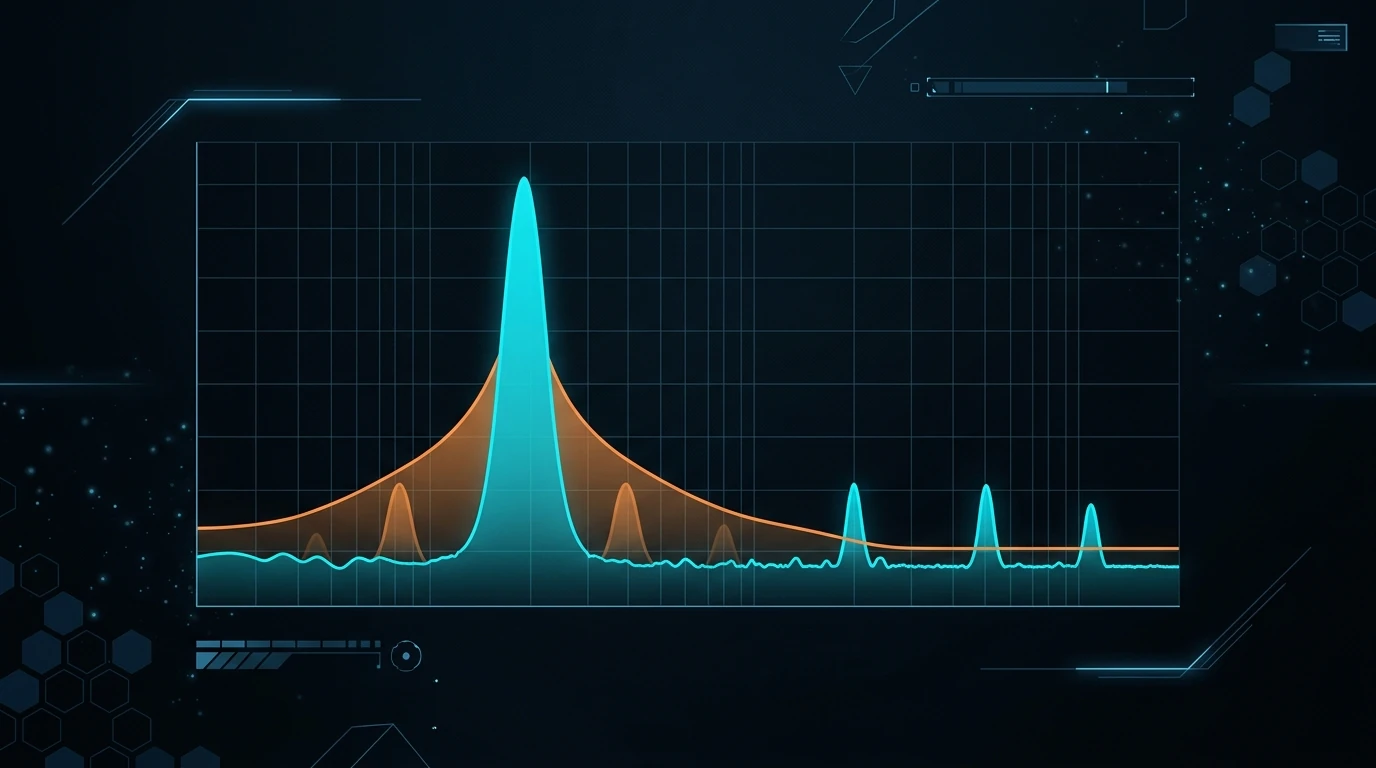
Play a loud 1kHz tone and a quiet 1.1kHz tone simultaneously. You won't hear the quiet one — the loud tone "masks" it. A lossy encoder recognizes this and simply doesn't encode the masked tone. From the encoder's perspective, it's storing silence there. From your ear's perspective, nothing changed.
Temporal Masking
A loud snare hit briefly makes your hearing less sensitive to quiet sounds that occur just before and just after it. The encoder can be less precise about encoding those masked moments — nobody's going to notice.
The High-Frequency Shelf
Most adults can't hear much above 16kHz. By age 30, that ceiling often drops to 14–15kHz. Lossy encoders exploit this mercilessly. At 128 kbps MP3, everything above about 16kHz is essentially gone. At 192 kbps, you get content up to roughly 18kHz. At 320 kbps, the full range is mostly preserved — but with less precision than the original.
The combined effect of these tricks is dramatic. A 128 kbps MP3 discards roughly 90% of the original PCM data. A 320 kbps MP3 discards about 77%. And most people genuinely cannot tell the difference on consumer headphones. The psychoacoustic model is that good at targeting the right data to remove.
But "most people" and "consumer headphones" are doing a lot of heavy lifting in that sentence.
What Lossless Audio Compression Does Differently
Lossless codecs — FLAC, ALAC, WavPack, APE — take a completely different approach. They reduce file size without removing a single sample. Open a FLAC file and decode it, and you get the exact same PCM data you started with, bit-for-bit identical.
How? The same way a ZIP file works, conceptually. Audio data contains patterns and redundancies. A sustained bass note, for instance, repeats similar sample values thousands of times — a lossless encoder replaces those repetitions with a compact mathematical description. Silence is trivially compressible. Even complex passages contain predictable relationships between consecutive samples that can be encoded more efficiently than raw storage.
The savings aren't as dramatic as lossy compression. A typical FLAC file is about 50–70% the size of the equivalent WAV. That 10 MB/minute CD-quality track becomes roughly 5–6 MB/minute. Still big compared to a 1 MB/minute MP3, but meaningfully smaller than raw PCM. WAV itself, by the way, is essentially uncompressed PCM in a container — it's not compressed at all, which is why it's both the biggest and the simplest format in common use.
The key property: decode that FLAC back to WAV and you get the original file back, perfectly. No generation loss. No artifacts. No compromise. That's what "lossless" actually means — not "high quality," but "mathematically reversible."
Lossless vs Lossy Audio: The Differences That Actually Matter
Forget the abstract quality debate for a second. Here's where the rubber meets the road in real workflows.
Editing and Processing Headroom
Every time you apply an effect — EQ, compression, reverb, pitch-shift, time-stretch — you're performing math on the sample data. Lossy files hand the algorithm data with holes in it. Those holes were carefully hidden by the psychoacoustic model for playback, but DSP algorithms don't listen the way humans do. They operate on the raw numbers, and missing data means less accurate results.
Open a 128 kbps MP3 vocal in iZotope RX's spectral view. You'll see the hard shelf where the encoder axed everything above 16kHz, plus smudgy artifacts in the mid-range where the encoder made its compromises. Now try to apply noise reduction. The algorithm has to distinguish between actual noise and encoding artifacts — a problem it doesn't have with lossless source material.
Time-stretching is even more revealing. Stretch an MP3 by 15–20% in Ableton Live and the compression artifacts get amplified and smeared across a wider time window. Do the same with a WAV or FLAC source, and the result is noticeably cleaner.
Generation Loss
Re-encode an MP3 and it degrades. Every lossy encoding pass applies the psychoacoustic model again, removing additional data each time. Download a YouTube video as MP3, trim it, export as MP3 — you've now compressed it twice. Three or four round-trips and the degradation is audible on laptop speakers. Transcoded artifacts stack up, particularly around cymbals, sibilants, and the stereo image.
Lossless formats don't have this problem. Edit a WAV file, save it, re-open it, edit it again — the audio remains identical to the original (assuming no processing is applied). FLAC works the same way: decode, edit, re-encode to FLAC, and you've lost nothing.
This is precisely why grabbing audio in lossless format first makes sense even when the source is already compressed. YouTube encodes its audio as Opus (128–256 kbps) or AAC (128 kbps). If you download that as MP3, you're stacking a second lossy pass on top of YouTube's encoding. Downloading as WAV with a tool like YTtoWAV decodes YouTube's stream cleanly and stores the result without additional compression. You can't undo YouTube's encoding, but at least you're not making it worse. More on this in our breakdown of WAV vs MP3 and when each format actually matters.
File Size and Storage
This is where lossy formats earn their keep. The numbers are stark:
| Format | Bitrate | Size per Minute | Songs per 64 GB |
|---|---|---|---|
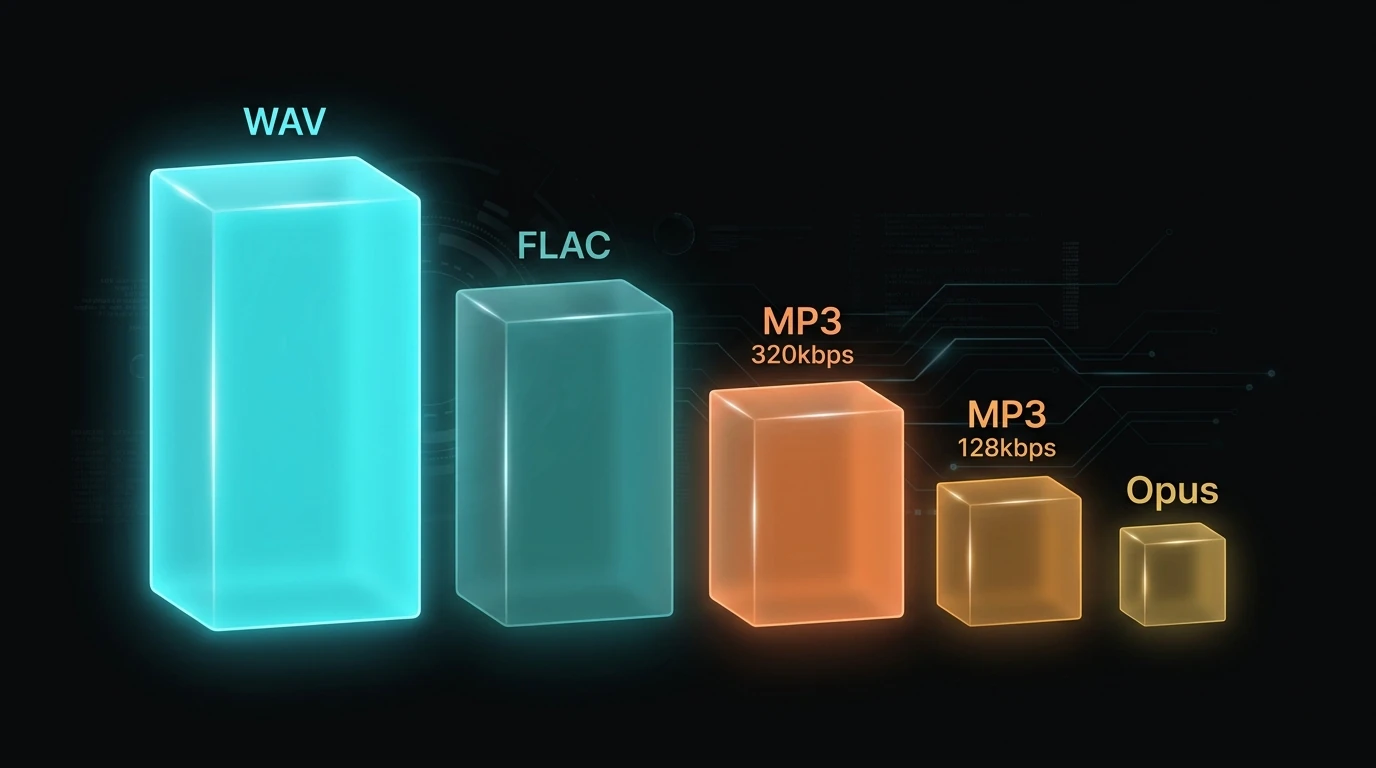
| WAV (16-bit/44.1kHz) | 1,411 kbps | ~10.1 MB | ~1,580 |
| FLAC (typical) | ~700–900 kbps | ~5.5 MB | ~2,900 |
| MP3 320 kbps | 320 kbps | ~2.4 MB | ~6,660 |
| MP3 128 kbps | 128 kbps | ~0.96 MB | ~16,650 |
| Opus 128 kbps | 128 kbps | ~0.96 MB | ~16,650 |
That 10× size difference between WAV and MP3 128 matters for streaming, mobile storage, and bandwidth. A 50-track album at CD-quality WAV runs about 2 GB. As 320 kbps MP3, it's roughly 480 MB. As 128 kbps Opus, maybe 190 MB.
Compatibility
WAV plays everywhere. Literally everywhere — every OS, every DAW, every media player, every hardware device manufactured in the last three decades. FLAC has near-universal support on Android, Windows, Linux, and most modern players, but Apple was stubborn about it for years (pushing ALAC instead). As of iOS 11 and macOS High Sierra, Apple devices finally play FLAC natively, but some older Apple software still chokes on it.
MP3 is universally supported. AAC is universally supported. Opus has excellent browser and mobile support but isn't recognized by some older hardware and embedded systems.
For production work, WAV's universal compatibility still gives it an edge — no DAW will ever fail to import a WAV file.
The Formats You'll Actually Encounter
Lossless Formats
WAV — Uncompressed PCM. Maximum compatibility. No metadata support worth mentioning (BWF adds some, but it's inconsistent across software). The standard for studio recording and DAW work.
FLAC — Lossless compression, open-source, well-supported. Good metadata/tagging. The best option for archiving music libraries if you want to save some space without sacrificing quality.
ALAC — Apple's lossless codec. Functionally identical to FLAC in quality. Use it if you're exclusively in the Apple ecosystem; otherwise, FLAC is the better-supported choice.
AIFF — Apple's answer to WAV. Uncompressed PCM with better metadata handling than WAV. Popular with DJs using Rekordbox or Traktor because it combines WAV-like quality with proper ID3-style tagging.
Lossy Formats
MP3 — The original. Still the most compatible lossy format despite being technically surpassed. At 320 kbps, it sounds excellent. At 128 kbps, trained ears can spot the artifacts. The Fraunhofer patents expired in 2017, so it's now royalty-free.
AAC — Apple's preferred lossy codec, and the default for YouTube, iTunes, and most streaming services. At equivalent bitrates, AAC generally sounds slightly better than MP3, particularly below 192 kbps. It's what you get when you buy a song from the iTunes Store (256 kbps AAC).
Opus — The newest and technically best lossy codec. Open-source, developed by Xiph.org and Mozilla. At 128 kbps, Opus sounds roughly as good as MP3 at 192 kbps. YouTube uses Opus for most audio streams. It's the default for Discord, WhatsApp, and most VoIP applications.
When Lossy Is Perfectly Fine
Honestly? Most of the time, for most people.
If you're listening to music on Spotify (Ogg Vorbis at 320 kbps on Premium), Apple Music (AAC 256 kbps), or YouTube Music (Opus up to 256 kbps), you're hearing lossy audio. The overwhelming majority of listeners — including many musicians and audio professionals — cannot reliably distinguish these streams from lossless sources in controlled ABX blind tests. Multiple studies on Hydrogen Audio forums confirm this, even with high-end monitoring headphones like the Sennheiser HD 600 or Beyerdynamic DT 990 Pro.
Streaming and web delivery practically demand lossy formats. A podcast episode exported at 128 kbps mono MP3 is about 7 MB for a 10-minute segment. The same audio as WAV would be over 100 MB. Your podcast host — Buzzsprout, Libsyn, Anchor — is going to transcode it to lossy anyway.
Sending demos and rough mixes to collaborators? 320 kbps MP3. Nobody needs a 60 MB WAV file clogging their inbox to judge whether the bridge needs work.
When Lossless Is Non-Negotiable
Recording. Always. Every studio, bedroom producer setup, and podcast recording rig should capture to WAV or AIFF. You can always convert down to lossy later; you can never convert back up. Starting with a compressed source means every processing step starts from a degraded foundation.
Mastering and final mixdown. Your master bus render should be WAV or AIFF (typically 24-bit/48kHz or higher). This becomes the archival master from which all distribution formats are derived. Lose this file and you lose the ability to generate clean lossy exports in the future.
Sampling and sound design. Pulling audio from YouTube to chop into samples? Grab it as WAV first using YTtoWAV.org. Yes, YouTube's source is already compressed. But decoding that cleanly into WAV means you can time-stretch, pitch-shift, and layer without stacking lossy artifacts. Our guide on the best YouTube to WAV converters covers more tools and options if you need batch processing or command-line workflows.
Archiving. Disk space is cheap. A 4 TB external drive costs under $100 and holds roughly 380,000 minutes of CD-quality WAV — that's over 95,000 four-minute songs. If your music library matters to you, archive it lossless. You can always generate MP3 copies for your phone. You can't regenerate lossless files from MP3s.
A Common Mistake: Converting Lossy to Lossless
This comes up constantly, and it needs to be said plainly: converting an MP3 to WAV does not improve the audio quality. It creates a larger file with the same degraded audio inside. The data the MP3 encoder discarded is gone forever. Wrapping it in an uncompressed container doesn't bring it back.
Think of it like photocopying a photocopy and then framing it. The frame is nicer. The image is still a photocopy.
The only scenario where this "conversion" is useful is when software requires WAV input and won't accept MP3. You're not gaining quality — you're just changing the container to meet a format requirement.
FAQ
What does "lossless" actually mean in audio?
Lossless means the compression is fully reversible. Compress a WAV file to FLAC, then decompress it back to WAV, and the result is bit-for-bit identical to the original. No audio data is discarded. The file gets smaller through mathematical efficiency (exploiting patterns and redundancies in the data), not by removing content.
Can you hear the difference between lossless and lossy audio?
At high bitrates (320 kbps MP3, 256 kbps AAC, 128+ kbps Opus), most listeners cannot reliably tell the difference in blind tests — even on good headphones. The gap becomes audible at lower bitrates (128 kbps MP3) or when you're processing/editing the audio rather than just listening. For production work, the difference matters for technical reasons even when you can't hear it on playback.
Is FLAC better than WAV?
They're identical in audio quality — FLAC is just WAV with lossless compression applied, so files are about 50–60% smaller. FLAC also supports better metadata (album art, tags). The trade-off is compatibility: WAV works in every DAW and device without question, while FLAC occasionally hits friction with older Apple software or certain hardware players. For archiving, FLAC is the smarter choice. For active production work, WAV's universality usually wins.
Should I download YouTube audio as lossless or lossy?
Lossless (WAV) if you plan to edit, sample, or process the audio. YouTube already compresses everything to Opus or AAC, so downloading as MP3 means you're applying a second layer of lossy compression — degrading quality further. Downloading as WAV at least preserves the decoded audio cleanly. If you're just listening casually, MP3 at 256–320 kbps is fine and much smaller.
Related Articles
- WAV vs MP3 vs FLAC: Which Audio Format Should You Use? [2026 Guide] — definitive quality, size, and compatibility breakdown
- WAV vs FLAC: Full Comparison for Producers and DJs — full comparison covering quality, size, and workflow
- What Is PCM Audio? (And Why Every Format Depends on It) — the raw data format behind WAV, AIFF, and more
- Audio Bitrate Explained: CBR vs VBR vs ABR — how CBR, VBR, and ABR affect audio quality
Related Articles
Keep reading — these posts cover similar topics you might find useful.
16-Bit vs 24-Bit Audio: What's the Difference?
16-bit vs 24-bit audio — what actually changes between these bit depths, when the difference matters, and when it's j...
How to Download YouTube Audio in Lossless Quality [2026 Guide]
Can you actually download lossless audio from YouTube? Here's what YouTube really stores, why WAV extraction preserve...
WAV vs OGG: Which Format Actually Wins for Audio Production?
WAV vs OGG — a real comparison for producers. Learn the technical differences, when OGG actually sounds fine, and why...