MP3 vs WAV vs FLAC vs AAC: Audio Formats Compared for Every Use Case
Audio formats compared: MP3, WAV, FLAC, and AAC explained with real file sizes, quality differences, and which format actually fits your workflow.
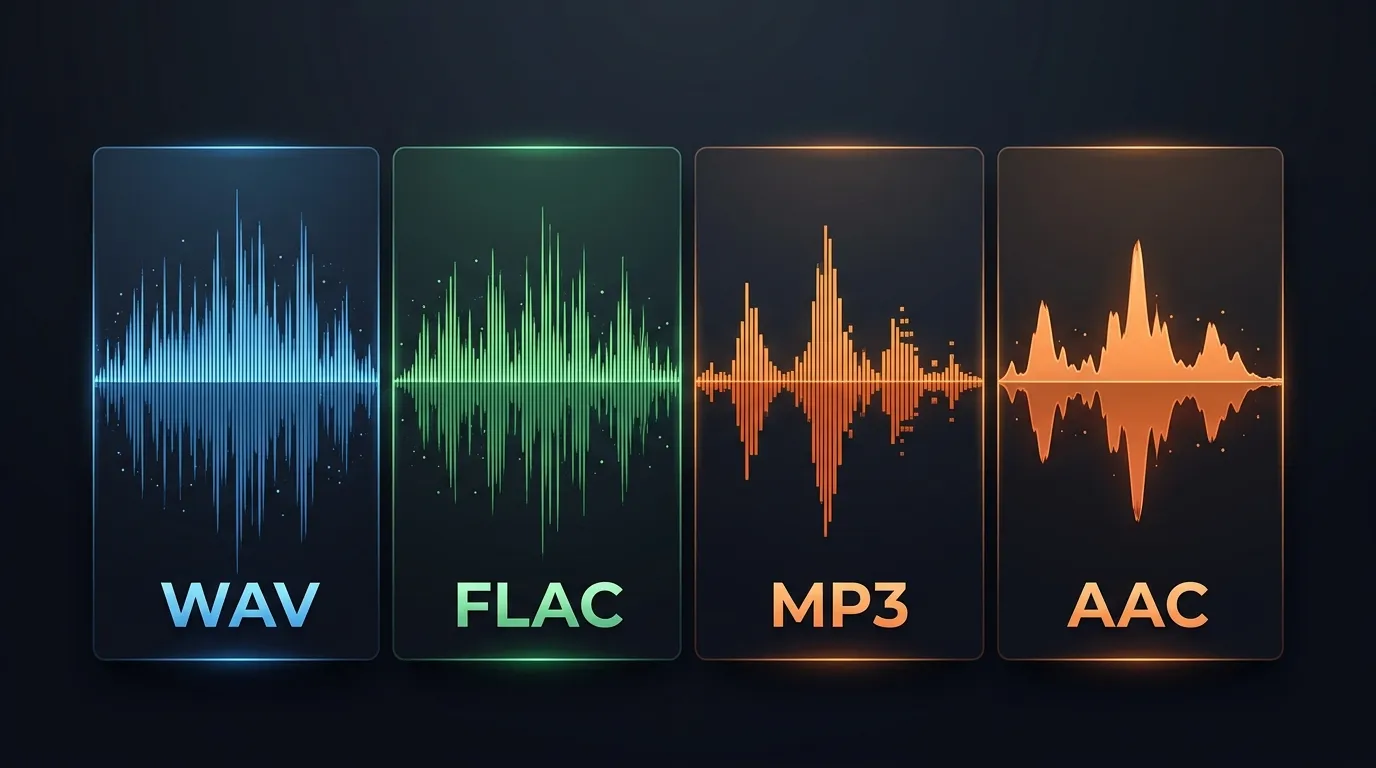
You've got a YouTube rip, a sample pack, or a podcast recording sitting on your desktop. Now what? The format you export to isn't just a technical footnote — it determines whether your audio survives editing, sounds decent on earbuds, or eats your entire hard drive. With so many audio formats compared across forums and Reddit threads, most explanations either drown you in bitrate math or oversimplify to "lossless = good, lossy = bad." Reality is messier than that.
Here's what each format actually does to your audio, when each one makes sense, and when it doesn't.
How Audio Compression Actually Works
Before comparing formats head-to-head, it helps to understand the two camps they fall into: lossy and lossless.
Lossy compression throws away data your ears probably won't miss. The algorithm identifies frequencies masked by louder sounds, quiet details buried under dominant tones, and ultra-high frequencies most adults can't hear anyway. It then permanently deletes that information. The result? Dramatically smaller files. A 3-minute song that's 30 MB as a WAV shrinks to about 3.5 MB as an MP3 at 128 kbps. That's an 88% reduction. The tradeoff is that those deleted frequencies are gone — you can't get them back by converting to a higher-quality format later.
Lossless compression works differently. Think of it like a ZIP file for audio. It finds patterns and redundancies in the waveform data and encodes them more efficiently, but every single sample gets preserved. When you decompress a FLAC file, you get back the exact same data as the original. Bit-for-bit identical. The downside? Files are still large — typically 50–60% of the uncompressed original.
Then there's uncompressed audio, which is just... the raw data. No tricks, no algorithms. What the microphone captured (or the DAW rendered) is exactly what's in the file.
WAV: The Uncompressed Standard
WAV (Waveform Audio File Format) has been around since 1991 — Microsoft and IBM created it, and it stuck. It's the format your DAW defaults to when you bounce a track. It's what recording studios archive to. It's what mastering engineers expect to receive.
What makes WAV useful
A standard CD-quality WAV file runs at 16-bit depth and 44,100 Hz sample rate. That gives you a frequency response up to 22,050 Hz (per the Nyquist theorem), which covers the full range of human hearing. Studio-quality WAV bumps that to 24-bit/48 kHz or even 24-bit/96 kHz, capturing more dynamic range and headroom for processing.
Every sample is stored. Nothing is estimated, approximated, or discarded. For audio production, this matters enormously. Each time you process audio — EQ, compression, time-stretching, pitch-shifting — the algorithm needs accurate data to work with. Feed it a lossy file and those processing artifacts compound. Feed it WAV and you're working with the complete picture.
The catch
File size. A 4-minute stereo track at 16-bit/44.1 kHz runs about 40 MB. At 24-bit/96 kHz, that same track balloons to roughly 138 MB. Store a hundred tracks and you're looking at 13+ GB just for raw audio. WAV also doesn't natively support metadata tagging (artist name, album, track number) — some players handle it, many don't.
Best for: Music production, mastering, archiving original recordings, any workflow where you'll apply further processing. If you're pulling audio from YouTube for sampling or remixing, converting to WAV gives you the cleanest starting point.
MP3: The Format That Changed Everything
MP3 (MPEG-1 Audio Layer III) didn't just become popular — it fundamentally reshaped how music was distributed. Developed by the Fraunhofer Society in the late 1980s and standardized in 1993, it made music files small enough to share over dial-up internet. Napster, iPods, the entire early digital music ecosystem was built on MP3.
How it compresses
MP3 uses a psychoacoustic model to decide what to throw away. It analyzes the audio in small frames (typically 1,152 samples each) and applies masking thresholds. A quiet violin note playing under a loud cymbal crash? The MP3 encoder decides you won't hear the violin in that instant and removes it. Frequencies above 16 kHz? Heavily reduced or eliminated at lower bitrates.
The quality depends heavily on the bitrate you choose. At 128 kbps, artifacts become noticeable on decent headphones — cymbals sound washy, reverb tails get choppy, and stereo imaging narrows. Bump to 320 kbps and most people genuinely can't tell the difference from CD audio in blind tests. That same 4-minute track that was 40 MB as WAV? About 3.5 MB at 128 kbps, or 9 MB at 320 kbps.
Why it's still everywhere
Compatibility. Every device on Earth plays MP3. Your car stereo from 2008, your Bluetooth speaker, your smartwatch, that old Sansa Clip you found in a drawer — all of them. No format comes close to MP3's universal support. The patents expired in 2017, so it's now completely royalty-free too.
Where it falls short
Honestly, MP3 is a 30-year-old codec. AAC and Opus both outperform it at equivalent bitrates — they sound better with less data. MP3 also handles transients (sharp drum hits, consonant sounds in speech) worse than newer codecs, and its joint stereo encoding at lower bitrates can make wide mixes sound narrow and phasey.
Best for: Casual listening, sharing files where size matters, uploading to platforms that'll re-encode anyway, podcasts distributed via RSS.
FLAC: Lossless Without the Bloat
FLAC (Free Lossless Audio Codec) arrived in 2001 as an open-source answer to a simple question: can we make audio files smaller without losing a single bit of data? Yes. It turns out you can.
The compression magic
FLAC typically achieves 50–70% compression ratios depending on the source material. A 40 MB WAV file becomes roughly 20–28 MB as FLAC. Sparse acoustic recordings compress better than dense electronic music because there's more silence and repetition for the algorithm to exploit. But regardless of the source, decompressing the FLAC file reconstructs the original waveform exactly. Run a checksum comparison between the original WAV and a WAV decoded from FLAC — they'll match.
Unlike WAV, FLAC has excellent metadata support. Album art, track titles, replay gain tags, lyrics — it handles all of it through Vorbis comments. This makes it genuinely practical for building a music library, not just archiving raw sessions.
The compatibility question
This used to be FLAC's weak spot. Five years ago, you'd hit walls trying to play FLAC on iOS or through certain car systems. That's largely resolved now. iOS has supported FLAC playback natively since iOS 11. Android has supported it for years. Windows plays it out of the box. Spotify, Tidal, Amazon Music, and Apple Music all use lossless codecs for their high-quality tiers (Apple uses ALAC, their own lossless format, but it's functionally equivalent).
Where FLAC still causes friction: some DJ software. Rekordbox added FLAC support relatively recently, and some older CDJ hardware won't read it off a USB stick. Serato supports it, Traktor supports it, but if you're playing a club gig on the venue's CDJ-2000NXS (not the NXS2), you might want WAV or AIFF on your USB.
Best for: Archiving your music library without quality loss, streaming high-fidelity audio, storing completed masters when drive space matters. It's the smart middle ground between WAV's fidelity and MP3's convenience.
AAC: MP3's Quieter, Better Successor
AAC (Advanced Audio Coding) was designed from the ground up to replace MP3. Finalized in 1997 as part of the MPEG-2 standard and later enhanced in MPEG-4, it's the default audio codec for YouTube, Apple Music, iTunes purchases, and most video streaming platforms. If you've watched a YouTube video, you've listened to AAC audio — typically at 128 or 256 kbps.
Why it sounds better than MP3
AAC uses more sophisticated transform coding, better stereo handling, and supports sample rates up to 96 kHz. At 128 kbps, AAC sounds noticeably cleaner than MP3 at the same bitrate — the high frequencies are better preserved and artifacts are less pronounced. Apple's 256 kbps AAC encodes from iTunes are considered "transparent" by most critical listeners, meaning they can't reliably distinguish them from the CD source.
AAC also handles problematic audio content better. Spoken word with lots of sibilance, complex orchestral passages with wide dynamic range, electronic music with sharp transients — AAC's more advanced psychoacoustic model makes smarter decisions about what to keep.
The fine print
AAC isn't a single codec — it's a family. AAC-LC (Low Complexity) is the most common profile and what you'll encounter almost everywhere. HE-AAC v1 and v2 are optimized for very low bitrates (think internet radio at 48 kbps). xHE-AAC is the newest variant, used by some streaming platforms for adaptive bitrate streaming. Not all devices support all profiles, though AAC-LC is essentially universal on modern hardware.
One quirk worth noting: AAC is technically patent-encumbered, though the licensing situation is much more permissive than MP3 was in its heyday. For end users this doesn't matter at all. For developers building encoders, it's a consideration.
Best for: Streaming, mobile listening, any situation where you need small files that sound better than MP3. If you're not doing production work and just want good-sounding audio at reasonable file sizes, AAC at 256 kbps is hard to beat.
Audio Formats Compared: The Real-World Numbers
Here's what a 4-minute stereo pop track actually looks like across formats. These aren't theoretical — they're representative of real-world encodes:
| Format | Settings | File Size | Quality Loss |
|---|---|---|---|
| WAV | 16-bit / 44.1 kHz | ~40 MB | None |
| WAV | 24-bit / 48 kHz | ~55 MB | None |
| FLAC | Level 5 (default) | ~22 MB | None |
| AAC | 256 kbps (CBR) | ~7.5 MB | Minimal |
| AAC | 128 kbps (CBR) | ~3.8 MB | Slight |
| MP3 | 320 kbps (CBR) | ~9.2 MB | Minimal |
| MP3 | 128 kbps (CBR) | ~3.6 MB | Noticeable |
Notice something? FLAC is nearly half the size of WAV with zero quality loss. That's the entire pitch for lossless compression in one row. And AAC at 256 kbps delivers perceptually identical quality to MP3 at 320 kbps while using less space.
Picking the Right Format for Your Workflow
Format choice isn't about which one is "best" — it's about what you're doing with the audio.
Music Production and Sampling
WAV. Full stop. When you're loading samples into Ableton Live, FL Studio, Logic Pro, or any serious DAW, you want uncompressed audio. Every plugin in your chain assumes it's processing full-resolution data. Importing a 128 kbps MP3 into your session and then running it through a chain of effects is like photocopying a photocopy — each generation degrades further.
If you're extracting audio from YouTube to sample or remix, always convert to WAV first. You can't add quality that was never there, but you can at least ensure you're not introducing additional compression artifacts on top of YouTube's AAC encoding.
DJing
This one's nuanced. WAV gives you the best quality, but a 64 GB USB stick holds roughly 1,600 WAV tracks at CD quality versus about 7,000 MP3s at 320 kbps. Most DJs land on 320 kbps MP3 or AIFF as a practical compromise. FLAC is gaining ground as hardware support improves, offering the best of both worlds — lossless quality with manageable file sizes.
Podcasting
For your final distributed file, MP3 at 128 kbps mono is the industry standard. It's not because podcasters don't care about quality — it's because speech doesn't need high bitrates, and podcast hosting costs scale with file size. Your RSS feed listeners don't want to download 200 MB per episode. But keep your editing masters as WAV or FLAC — you'll want clean source files if you ever need to re-edit or repurpose clips.
Building a Personal Music Library
FLAC if you have the storage. It's about future-proofing. Codecs improve over time — if you archive in FLAC, you can always transcode to whatever new format emerges without generational loss. Archive in MP3 and you're locked into whatever quality ceiling that encode had. Hard drives are cheap. A 4 TB external drive costs about $80 and holds roughly 180,000 FLAC tracks. That's probably more music than you'll acquire in a lifetime.
The YouTube Factor
Here's something most audio format guides won't tell you: the source matters more than the output format. YouTube encodes uploaded videos to AAC at around 128 kbps for standard quality and up to 256 kbps for premium. That means the audio you're downloading has already been through one round of lossy compression.
Converting that YouTube audio to a 24-bit/96 kHz WAV file won't restore frequencies that the AAC encoder already deleted. It just means you're storing the existing audio data without introducing any additional loss. Think of it as making a perfect copy of what's there, not magically enhancing it. That said, starting from WAV still matters for production work — your DAW processes and plugins will perform better on uncompressed files even if the original source was compressed.
For the highest quality extraction, YTtoWAV.org offers both 16-bit/44.1 kHz and 24-bit/48 kHz WAV output, so you can match whatever your project session is running at.
FAQ
Is FLAC better quality than WAV?
No — they're identical in quality. A FLAC file decoded to WAV produces a bit-for-bit match with the original WAV. FLAC is just a more efficient way to store the same data, typically at 50–70% of the original file size. Choose FLAC when you want lossless quality with smaller files; choose WAV when you need maximum compatibility with DAWs and older hardware.
Can you hear the difference between 320 kbps MP3 and lossless?
Most people can't, honestly. Controlled blind tests (ABX testing) consistently show that trained listeners score only marginally above chance when comparing 320 kbps MP3 to CD-quality WAV on professional monitoring equipment. On earbuds or laptop speakers? Functionally impossible. The difference becomes more apparent with specific content — solo acoustic instruments, complex orchestral recordings, or tracks with lots of high-frequency detail like hi-hats and shakers.
Why does YouTube use AAC instead of MP3?
AAC delivers better audio quality at the same bitrate, which saves YouTube significant bandwidth costs across billions of daily video plays. At 128 kbps — YouTube's standard audio quality — AAC preserves noticeably more high-frequency detail than MP3 would. Since AAC is part of the MPEG-4 standard that YouTube's video containers already use, it also simplifies their encoding pipeline.
What format should I use for music production?
WAV (16-bit/44.1 kHz or 24-bit/48 kHz depending on your session settings). Every major DAW — Ableton Live, FL Studio, Logic Pro, Pro Tools, Reaper — handles WAV natively with zero overhead. Use WAV for recording, editing, and bouncing stems. Export to other formats only as the final delivery step.
Related Articles
- WAV vs MP3 vs FLAC: Which Audio Format Should You Use? [2026 Guide] — definitive quality, size, and compatibility breakdown
- WAV vs FLAC: Full Comparison for Producers and DJs — full comparison covering quality, size, and workflow
- MP3 vs AAC: Which Lossy Format Sounds Better? — which lossy codec delivers better quality at the same bitrate
- Lossless vs Lossy Audio: What's Actually Going On Inside Your Files — what happens inside compressed and uncompressed files
Related Articles
Keep reading — these posts cover similar topics you might find useful.
WAV vs MP3 vs FLAC: Which Audio Format Should You Use? [2026 Guide]
WAV vs MP3 vs FLAC — a definitive comparison of quality, file size, bit depth, sample rates, and real-world use cases...
FLAC vs WAV vs DSD: Hi-Res Audio Formats Ranked
FLAC vs WAV vs DSD — which hi-res audio format actually matters? Real specs, file sizes, DAW compatibility, and a cle...
WAV Audio Format: Everything You Need to Know [Complete 2026 Guide]
The definitive guide to the WAV audio format — history, RIFF headers, PCM encoding, bit depth, sample rates, pros and...