16-Bit vs 24-Bit Audio: What's the Difference?
16-bit vs 24-bit audio — what actually changes between these bit depths, when the difference matters, and when it's just wasting disk space. Real numbers, no fluff.
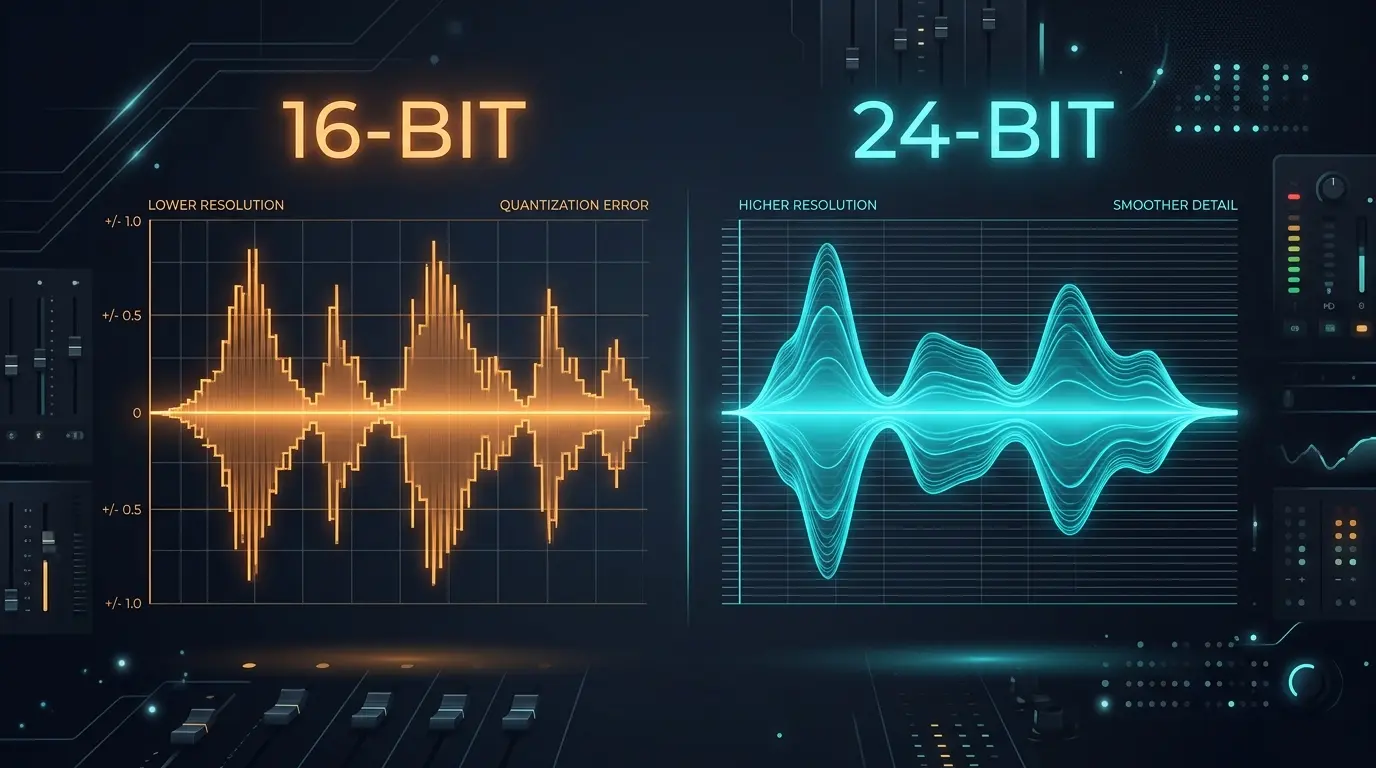
Your audio interface probably defaulted to 24-bit when you unboxed it. Your streaming music plays back at 16-bit. And somewhere between those two numbers, a surprising amount of confusion and outright misinformation has piled up. The 16-bit vs 24-bit audio question seems simple on the surface — more bits equals better, right? — but the real answer depends entirely on what you're doing with the audio.
Here's what most articles get wrong: they treat bit depth like a quality slider. Drag it higher, get better sound. That framing misses the actual mechanism, and it leads people to make bad decisions — like recording a podcast at 24-bit/96kHz when 16-bit/44.1kHz would've been perfectly fine, or bouncing a master to 16-bit without dithering and introducing audible artifacts in quiet passages.
Let's break down what bit depth actually controls, where the 16-bit vs 24-bit distinction genuinely matters, and where it doesn't.
What Bit Depth Actually Means
Bit depth determines one thing: the number of possible amplitude values each audio sample can have. That's it. Not frequency response. Not "clarity." Not "warmth." Just how many vertical steps the system uses to represent the volume of the sound at each sample point.
A 16-bit system has 65,536 possible amplitude values (2^16). A 24-bit system has 16,777,216 (2^24). That's 256 times more steps — which sounds massive on paper, and it is. But the practical impact of those extra steps shows up in one specific metric: dynamic range.
Dynamic Range: The Real Difference
Dynamic range is the gap between the quietest sound a system can reproduce and the loudest. For 16-bit audio, the theoretical maximum is about 96 dB. For 24-bit, it's roughly 144 dB. In practice, no analog-to-digital converter actually achieves the full 144 dB — the best professional converters top out around 120–124 dB of usable dynamic range because of thermal noise in the electronics. But that's still a significant jump over 16-bit's 96 dB ceiling.
To put 96 dB in perspective: the difference between a pin dropping in a quiet room (about 15 dB SPL) and a chainsaw at one meter (about 110 dB SPL) is roughly 95 dB. That's nearly the entire dynamic range of 16-bit audio consumed by one real-world comparison. So 96 dB is plenty for finished, mastered music — which is typically compressed to around 10–20 dB of dynamic range anyway. But for raw recordings captured before mixing and mastering? It gets tighter than you'd think.
16-Bit Audio: Where It Shines
CD audio is 16-bit/44.1kHz. It has been since 1982 when Sony and Philips finalized the Red Book standard. Over four decades later, it remains the distribution format for most high-fidelity audio — and not because the industry is stuck in the past.
Mastered music — the finished product after recording, mixing, and mastering — rarely needs more than 96 dB of dynamic range. A well-mastered pop track might use 8–12 dB of dynamic range. Classical and jazz recordings push wider, sometimes 30–50 dB between the softest and loudest passages. Even the most dynamic orchestral recordings fit comfortably within 16-bit's envelope with room to spare.
The math also works in 16-bit's favor for file size. A stereo 16-bit/44.1kHz WAV file runs at 1,411.2 kbps — roughly 10.1 MB per minute. That's already large compared to lossy formats, but it's two-thirds the size of the same audio at 24-bit (which runs about 16.5 MB per minute at 48kHz). Over a 60-minute album, that's the difference between roughly 600 MB and 990 MB. For archiving thousands of tracks, that gap adds up fast.
Honestly, if you're distributing finished audio — uploading to streaming platforms, burning CDs, sharing final mixes — 16-bit is the correct choice. Spotify, Apple Music, and YouTube all deliver audio at 16-bit resolution or equivalent. Sending them 24-bit files just means they'll truncate or convert it anyway.
24-Bit Audio: Where It Actually Matters
The case for 24-bit is strong, but it's not about the finished product. It's about the process.
When you record audio, you have to set your input gain before you know exactly how loud the performance will be. Record too hot and you clip the converter — instant, ugly digital distortion. Record too quiet and your signal sits near the noise floor, where quantization noise becomes audible. This is the fundamental recording dilemma, and it's where 24-bit earns its keep.
With 24-bit recording, you get roughly 48 dB of extra headroom at the bottom. That means you can record conservatively — peaks hitting -18 dBFS or even -24 dBFS — and still have a clean signal with negligible quantization noise. Try the same thing at 16-bit, and those quiet passages start developing a grainy, gritty texture that no amount of post-processing can fully fix.
The Noise Floor Problem
Here's a concrete example. Record a vocalist at 16-bit with peaks around -20 dBFS (leaving 20 dB of headroom for safety). Your useful signal is now living in roughly the top 76 dB of your 96 dB range. The bottom of that signal — the breath sounds, the room ambience, the tail ends of reverbs — is sitting dangerously close to the quantization noise floor. You'll hear it as a subtle hiss or graininess underneath quiet sections.
Same scenario at 24-bit: peaks at -20 dBFS means your signal occupies the top 76 dB of a 144 dB range. The noise floor is 68 dB below the quietest part of your signal. It's inaudible. Completely irrelevant. You could normalize the recording up by 20 dB in post-production and still have a cleaner noise floor than the 16-bit version had before normalization.
This is why every professional studio records at 24-bit. Not because the finished album needs it — it doesn't — but because the recording and editing process benefits enormously from the extra resolution.
Mixing and Processing Headroom
There's another advantage that gets less attention. When your DAW processes audio — applies EQ, compression, reverb, time-stretching — it's performing mathematical operations on sample values. Most modern DAWs internally process at 32-bit or 64-bit floating point regardless of the source file's bit depth, so the processing itself doesn't lose resolution. But if your source material has quantization artifacts baked in from a 16-bit recording, those artifacts get amplified and spread by every processing step.
Heavy EQ boosts on a 16-bit recording can make the quantization noise more audible. Extreme time-stretching on 16-bit material can reveal stepping artifacts in quiet sections. With 24-bit source material, there's simply more "real" data for the algorithms to work with, and the results are cleaner.
The Dithering Question Nobody Explains Well
Here's where most comparisons fall short. Going from 24-bit to 16-bit for final delivery isn't as simple as chopping off 8 bits. If you just truncate — remove the lower 8 bits of each sample — you introduce harmonic distortion in quiet passages. It's not random noise; it's correlated to the signal, which makes it more noticeable and more objectionable than it sounds in theory.
The solution is dithering: adding a tiny amount of carefully shaped random noise before truncation. It converts the correlated distortion into uncorrelated noise, which sounds like a very faint, smooth hiss instead of a buzzy distortion. Good dithering algorithms — like Apogee UV22HR, POW-r Type 3, or iZotope MBIT+ — shape the noise spectrum so that it's concentrated in frequency ranges where human hearing is least sensitive (typically above 12kHz).
Always dither when converting 24-bit masters to 16-bit for distribution. Every major DAW has dithering built into its export/bounce settings. In Pro Tools, it's in the Bounce dialog. In Ableton Live, you'll find it under the master channel's output settings. Logic Pro applies it automatically in certain export configurations. Skip this step and you might get away with it on loud, dense material — but on a quiet acoustic recording or a classical track with long decays, the difference is audible.
What About 32-Bit Audio?
You might have seen 32-bit float options in DAWs and audio interfaces. Quick version: 32-bit floating point has an effectively infinite dynamic range — well over 1,500 dB — because it uses a different number representation (mantissa + exponent, like scientific notation for audio). Some newer interfaces from manufacturers like ZOOM (F3, F6) and Sound Devices (MixPre II series) record in 32-bit float, which means you literally cannot clip the recording. The converter just keeps capturing.
For recording, it's genuinely impressive. For distribution and playback? Completely unnecessary. No speaker, headphone, or human ear can use more than about 120 dB of dynamic range. 32-bit float is a capture and processing format, not a delivery format.
16-Bit vs 24-Bit Audio: A Quick Comparison
| Aspect | 16-bit | 24-bit |
|---|---|---|
| Dynamic Range | ~96 dB | ~144 dB (theoretical) |
| Amplitude Steps | 65,536 | 16,777,216 |
| File Size (stereo, 44.1kHz, per min) | ~10.1 MB | ~15.1 MB |
| File Size (stereo, 48kHz, per min) | ~11.0 MB | ~16.5 MB |
| Ideal For | Distribution, streaming, CDs | Recording, mixing, editing |
| Noise Floor | Audible with low-level signals | Effectively inaudible |
| Industry Standard Use | Final delivery | Studio production |
So Which Should You Use?
The answer isn't one or the other — it's both, at different stages.
Record at 24-bit. There's essentially no downside. Storage is cheap, and the extra dynamic range protects your recordings from noise floor issues and gives you more flexibility in post. If your interface supports it — and virtually every interface made after 2005 does — there's no reason to record at 16-bit.
Deliver at 16-bit/44.1kHz. For streaming, downloads, CDs, and any final consumer-facing format, 16-bit is the standard. Apply dither when converting from your 24-bit session, and you're preserving everything that matters.
Don't convert YouTube audio to 24-bit expecting magic. YouTube's audio stream tops out at 160 kbps Opus or 256 kbps AAC — both lossy formats with effective dynamic ranges well under 96 dB. Converting that to a 24-bit WAV file doesn't restore information that was never captured. You get a larger file wrapped around the same lossy data. If you're grabbing audio from YouTube for sampling or reference, 16-bit/44.1kHz WAV is the honest choice — it preserves what's there without pretending there's more.
That said, if you're pulling YouTube audio to use as a starting point for production — running it through heavy effects, time-stretching, or spectral editing — converting to a higher bit-depth workspace gives your processing chain more headroom to work in, even if the original source doesn't fully exploit it.
FAQ
Does 24-bit audio sound better than 16-bit?
For finished, mastered music played through normal listening equipment? No. The audible difference between 16-bit and 24-bit on mastered tracks is essentially zero for the overwhelming majority of listeners and playback systems. The advantage of 24-bit is during recording and editing — it's about the production process, not the final listening experience.
Should I download YouTube audio as 24-bit WAV?
Generally, no. YouTube audio is already lossy (Opus or AAC at moderate bitrates), so wrapping it in a 24-bit WAV just increases the file size without adding real audio information. 16-bit/44.1kHz WAV captures everything YouTube actually delivers. The exception is if you plan to do heavy processing on the audio in a DAW — the extra bit depth gives your processing chain cleaner headroom.
What is dithering and do I need it?
Dithering adds a tiny amount of shaped noise when converting from a higher bit depth (like 24-bit) to a lower one (like 16-bit). Without it, you get subtle harmonic distortion in quiet passages. With it, that distortion is replaced by an almost inaudible hiss. You need it anytime you're bouncing a 24-bit mix down to 16-bit for distribution — which is essentially every time you export a finished track.
Can you hear the difference between 16-bit and 24-bit?
On loud, busy music through consumer speakers or earbuds? Almost certainly not. On quiet acoustic material through high-end monitors in a treated room, you might hear slightly more depth and a cleaner noise floor with the 24-bit version — but only if the source material was originally recorded at 24-bit. If the source was already 16-bit or lossy, converting to 24-bit changes nothing audible.
Try it yourself → Convert any YouTube video to lossless WAV audio with our free YouTube to WAV converter — no signup, no software, no limits.
Related Articles
- What Is Bit Depth in Audio? 16-Bit vs 24-Bit Explained — how bit depth shapes resolution and dynamic range
- What Is Sample Rate in Audio? 44.1kHz, 48kHz, and 96kHz Explained — 44.1kHz, 48kHz, and 96kHz differences explained
- 44.1kHz vs 48kHz: Which Sample Rate Should You Actually Use? — choosing the right sample rate for your project
- WAV Audio Format: Everything You Need to Know [Complete 2026 Guide] — complete guide to WAV specifications, history, and usage
Related Articles
Keep reading — these posts cover similar topics you might find useful.
What Is Bit Depth in Audio? 16-Bit vs 24-Bit Explained
What is bit depth in audio? Learn how 16-bit and 24-bit affect sound quality, dynamic range, and file size — plus whe...
Lossless vs Lossy Audio: What's Actually Going On Inside Your Files
Lossless vs lossy audio — what gets cut, what stays, and why it matters for your workflow. A plain-English breakdown ...
WAV Audio Format: Everything You Need to Know [Complete 2026 Guide]
The definitive guide to the WAV audio format — history, RIFF headers, PCM encoding, bit depth, sample rates, pros and...