YouTube to MP3 vs WAV: Which Should You Download?
YouTube to MP3 vs WAV — which format should you actually download? Real file sizes, quality differences, and honest advice for every use case.
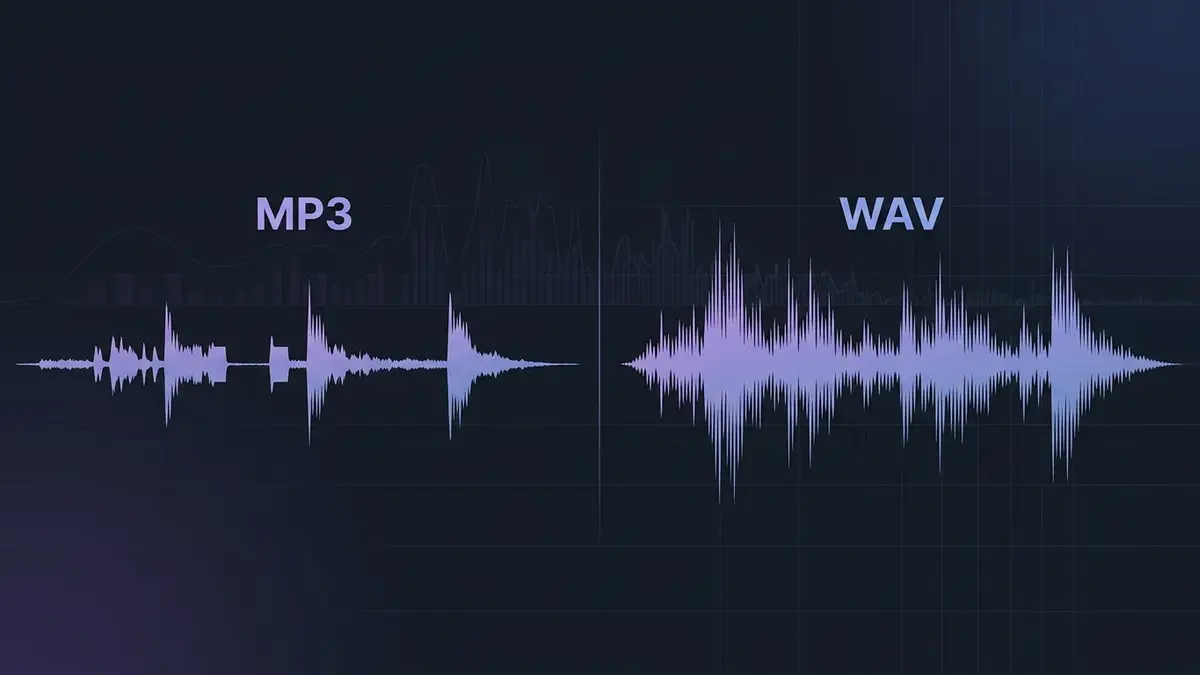
# YouTube to MP3 vs WAV: Which Should You Download?
You've found the audio you need on YouTube. A vocal sample, a lecture, a DJ set, an interview clip. Now comes the question every converter tool forces you to answer before you can hit download: MP3 or WAV?
Most people click MP3 without thinking. It's the default on almost every converter. It's the format they've known since the Napster era. And for a lot of situations, that's fine. But for a surprising number of workflows, it's the wrong call — and the problem is you usually don't realize it until you're three edits deep and hearing artifacts that weren't there before.
So let's sort this out. YouTube to MP3 vs WAV — what's actually different when you're pulling audio from YouTube specifically, and which one should you pick?
What YouTube Gives You in the First Place
Before comparing download formats, you need to understand something that most comparison articles skip entirely: YouTube doesn't store audio in either MP3 or WAV. When a creator uploads a video, YouTube transcodes the audio into its own compressed formats — typically Opus (at 48–256 kbps depending on the video quality) or AAC (at 128 kbps). The original studio-quality audio the creator uploaded? Long gone from YouTube's servers.
This matters because the audio you're downloading has already been compressed once by YouTube. The format you choose in your converter determines what happens next.
Downloading as MP3
When you choose MP3, the converter takes YouTube's Opus or AAC audio stream, decodes it, and then re-encodes it using the MP3 codec. That's a second round of lossy compression on top of YouTube's original compression. Two separate algorithms, each making independent decisions about which audio data to discard.
At 320 kbps MP3, the additional damage is minor. At 128 kbps, it's real — you're stacking two sets of psychoacoustic compromises, and the artifacts start compounding. Cymbals get washy, sibilant vocals develop a slight lisp, and there's sometimes a faint ringing on transients that wasn't in the YouTube playback.
Downloading as WAV
When you choose WAV, the converter decodes YouTube's compressed stream and writes the raw PCM audio to disk without any further compression. No second lossy pass. The resulting WAV file isn't magically better than what YouTube stored — you can't recover frequencies that YouTube's encoder already removed — but it's a clean, uncompressed copy of the best audio YouTube delivered. Nothing extra was taken away.
That's the key distinction that most guides miss. Downloading WAV doesn't give you "CD quality" from a 128 kbps YouTube source. It gives you a faithful decode of whatever YouTube provided, without additional degradation.
The Double-Compression Problem Nobody Talks About
Here's a visual way to think about it. Imagine photocopying a document. YouTube's upload compression is the first photocopy — slightly fuzzier than the original, but readable. Downloading as WAV is like carefully preserving that first photocopy. Downloading as MP3 is like photocopying the photocopy.
Most of the time, a second-generation photocopy is still legible. But examine it closely and the text is softer, the edges are less defined, and any imperfections from the first copy got amplified.
In audio terms, that second compression pass tends to hit certain sounds harder than others. Hi-hats lose their crispness. Reverb tails get grainy instead of smooth. Pitch-shifted vocals — already heavily processed in the original — pick up new warbling artifacts. The degradation is subtle at high bitrates (256–320 kbps MP3), but it's measurably there. Run a spectral analysis in iZotope RX or Audacity and you'll see the high-frequency shelf drop lower on a YouTube-to-MP3 file compared to a YouTube-to-WAV decode of the same source.
For casual listening through earbuds on a subway? Irrelevant. For dragging that audio into FL Studio, Ableton Live, or Premiere Pro to actually work with it? Worth caring about.
When MP3 Is the Right Download Choice
Let's be honest: not every YouTube download needs to be a 40 MB WAV file. MP3 is the right pick in plenty of real situations.
You're just listening. Saving a podcast to listen offline, grabbing a lecture for your commute, building a playlist for the gym — MP3 at 192–320 kbps is plenty. The file's a fraction of the size, plays on literally everything, and the quality difference from WAV is inaudible during casual playback. A 4-minute track comes out to about 5–7 MB as MP3 versus 40 MB as WAV. On a phone with limited storage, that ratio matters fast.
You're sharing via messaging or email. Try attaching a 40 MB WAV file to a WhatsApp message or an email. Most platforms either reject it or compress it further on their end. MP3 at 256 kbps keeps the file manageable — under 8 MB for a typical song — while sounding fine on the receiving end.
You need metadata. MP3's ID3 tag system handles album art, track titles, artist names, and genre tags natively. WAV's metadata support is inconsistent across different software. If you're organizing a library in iTunes, foobar2000, or a DJ platform like Rekordbox, MP3 files are easier to manage. This is a small but real annoyance that catches people off guard when they switch to WAV for everything.
Your final output is lossy anyway. Exporting a video to Instagram? Uploading a mix to SoundCloud's free tier? These platforms re-compress your audio to their own lossy format regardless of what you upload. Starting from MP3 instead of WAV saves you time and bandwidth without any measurable quality benefit in the final output.
When WAV Is Worth the Bigger File
The storage trade-off tilts toward WAV whenever the audio is a starting point rather than a finished product.
Production and sampling. This is where WAV earns its keep. If you're chopping a vocal sample, time-stretching a loop, layering sounds, or applying any processing chain — EQ, compression, reverb — you want the cleanest source possible. Every DSP algorithm performs better with complete, uncompressed data. Time-stretch an MP3 sample by 15% and you'll hear the lossy artifacts smear across the new timing. Do the same with a WAV file decoded from the same YouTube source and the stretch sounds noticeably cleaner.
Podcast editing. Pulling a guest's existing YouTube interview into your episode? Grab it as WAV. You'll likely apply noise reduction, normalize levels, crossfade with your own recording, and export the whole thing. Each of those processing steps amplifies any compression artifacts present in the source. Starting from WAV gives your tools more real data to work with.
DJ prep. Club-level sound systems are unforgiving. Compression artifacts that vanish on laptop speakers become audible through a Funktion-One rig at volume. If you're pulling DJ edits or bootleg remixes from YouTube (it happens, we're not judging), WAV preserves whatever fidelity YouTube provided without adding more damage on top. Load that into Serato or Traktor and your cue points land on cleaner transients, too.
Archival. If you're saving something you might need later — a rare live recording, an interview that could get taken down, reference material for a project — WAV is the safer bet. You can always convert WAV to MP3 later. You can't go the other direction. That one-way door is the entire argument for archiving in lossless formats.
Head-to-Head: MP3 vs WAV for YouTube Downloads
| MP3 (320 kbps) | MP3 (128 kbps) | WAV (16-bit/44.1kHz) | |
|---|---|---|---|
| **File size (4-min track)** | ~9.2 MB | ~3.8 MB | ~40 MB |
| **Compression layers** | YouTube + MP3 (double) | YouTube + MP3 (double) | YouTube only (single) |
| **Editing suitability** | Acceptable | Poor | Best available |
| **Playback compatibility** | Universal | Universal | Universal |
| **Metadata/tagging** | Excellent (ID3v2) | Excellent (ID3v2) | Limited |
| **Spectral fidelity** | Minor high-end loss | Noticeable high-end loss | Matches YouTube source |
| **Generation loss risk** | Yes, if re-encoded | Yes, if re-encoded | None |
One thing stands out in that table: even the "best" WAV download from YouTube is still limited by YouTube's initial compression. A WAV download from YouTube is not equivalent to a WAV ripped from a CD or exported from a DAW session. It's a clean container around lossy-origin audio. But it's the cleanest version of that audio you can get.
The Workflow That Actually Makes Sense
Rather than picking a camp and downloading everything in one format, here's what experienced producers and editors tend to do:
Download as WAV when you plan to process the audio in any way. Open YTtoWAV, paste the URL, select WAV at 16-bit/44.1kHz (or 24-bit/48kHz if you want extra headroom for processing), and download. The file's bigger, but you're treating it as source material, not a finished deliverable.
Download as MP3 when the audio is the finished product. You're putting it on your phone, sharing it with someone, or dropping it into a project where it won't be edited further. No need to haul around a 40 MB file when a 7 MB MP3 sounds identical through earbuds.
And if you find yourself frequently needing both — say you sample from YouTube regularly but also want a listening copy — grab the WAV first and convert a copy to MP3 afterward. Going from WAV to MP3 is a clean, single compression pass. Going from MP3 to WAV does nothing useful. That direction matters, and getting it backward is one of the most common mistakes beginners make.
For a deeper technical breakdown of how these two formats differ beyond the YouTube context, our WAV vs MP3 comparison gets into bit depths, frequency masking, and generation loss in detail.
FAQ
Does downloading WAV from YouTube give me lossless quality?
Not exactly. YouTube's audio is already compressed (Opus or AAC), so the original lossless data from the creator's upload is gone. Downloading as WAV gives you an uncompressed decode of YouTube's compressed stream — no additional quality loss, but not true lossless from the source. It's the best you can get from YouTube, though.
Is 320 kbps MP3 from YouTube the same quality as WAV from YouTube?
Close, but not identical. Both start from the same YouTube source, but the MP3 download adds a second round of lossy compression. At 320 kbps, that second pass removes very little additional data — the audible difference is extremely subtle. But in a spectral analyzer, you'll see the MP3 file has a slightly lower high-frequency ceiling and marginally less detail in complex passages.
Why is my YouTube-to-MP3 download only 128 kbps?
Many free converter sites default to 128 kbps to save server bandwidth and speed up conversions. At 128 kbps, you're stacking heavy compression (YouTube's ~128 kbps source plus another 128 kbps MP3 encode), and the quality drop becomes noticeable — muddy highs, swimmy reverbs, audible artifacts on vocals. If you must download MP3, use a converter that offers 256 or 320 kbps. Or skip the issue entirely and download WAV.
Can I convert my MP3 download to WAV to improve quality?
No. This is a persistent myth. Converting MP3 to WAV just wraps the already-compressed audio in a larger, uncompressed container. The file gets bigger — the audio doesn't get better. The data that the MP3 encoder removed is permanently gone. Always download in the highest quality format available from the start. For more on why this matters during editing, check our guide on lossless vs lossy audio.
Related Articles
- YouTube to WAV vs YouTube to MP3: Which Should You Download? [2026] — detailed comparison of both download formats
- WAV vs MP3 vs FLAC: Which Audio Format Should You Use? [2026 Guide] — definitive quality, size, and compatibility breakdown
- Best YouTube to WAV Converters Online [2026] — Free & Paid Compared — tested and ranked with real output analysis
- Lossless vs Lossy Audio: What's Actually Going On Inside Your Files — what happens inside compressed and uncompressed files
Related Articles
Keep reading — these posts cover similar topics you might find useful.
YouTube to WAV vs YouTube to MP3: Which Should You Download? [2026]
YouTube to WAV vs MP3 — side-by-side comparison of file size, audio quality, and real use cases. Find out which forma...
How to Download Audio From YouTube (MP3 vs WAV vs M4A)
Learn how to download audio from YouTube in MP3, WAV, or M4A. Real quality differences, actual file sizes, and which ...
WAV vs MP3 vs FLAC: Which Audio Format Should You Use? [2026 Guide]
WAV vs MP3 vs FLAC — a definitive comparison of quality, file size, bit depth, sample rates, and real-world use cases...